

So, after years of downloading every budgeting app that promised to fix my finances, I just… got tired. Honestly, I bounced from one platform to another, always hoping the next one would finally “get” me. Instead, I ended up frustrated. Auto-sync kept mislabeling my expenses, the categories never matched how I actually spend, and I wasted more time fixing errors than actually managing my money.
I ditched all my financial apps and went back to spreadsheets. Why? Because I wanted total control over my data and a system that works for my weird, unique financial life. Apps always force you to play by their rules, but with spreadsheets, you call the shots.

Switching back wasn’t just about flexibility. Manually entering transactions made me notice my spending habits way more. Plus, I built dashboards that actually answer the questions I care about. No monthly fees, no syncing headaches, and no fighting with someone else’s idea of “budgeting.”
Key Takeaways
- Financial apps often mess things up with bad categories and rigid systems that don’t fit real life.
- Spreadsheets give you endless ways to customize and control your money—no subscriptions required.
- Entering stuff by hand in a spreadsheet? It actually makes you more aware and helps you build better money habits.
What Pushed Me to Ditch Financial Apps
Honestly, it started with little annoyances that grew into big headaches. I ran into three main problems: features that didn’t fit, sketchy data privacy, and those sneaky subscription fees.
App Features: Annoyances Galore
The biggest headache? Bank connectivity that just never worked right. My accounts would disconnect almost every day. I spent way too much time fixing those connections instead of, you know, actually budgeting.
Most apps just told me where my money went after I’d already spent it. I wanted to plan ahead, not just look back. The categories? Way too basic.
Here’s what drove me nuts:
- Bank accounts constantly disconnecting
- Transactions showing up late or not at all
- Not enough ways to customize categories
- No way to plan for future expenses
The interfaces felt clunky. Even moving money between categories took too many steps. Eventually, I just avoided the apps—they made budgeting feel like punishment.
Pretty charts? Sure, but I couldn’t get simple answers like, “Can I afford this next month?” That’s not helpful.
Privacy and Data Security: Yikes
Linking all my bank accounts to random apps? That started to feel risky. These companies could see every transaction I made. I realized I was handing over my entire financial life.
I started to wonder—what do they do with my data? Are they selling it? Could hackers get in if there’s a breach?
Here’s what worried me:
- Apps had full access to all my transactions
- Data sharing policies were murky at best
- Security breaches seemed possible
- I had zero control over who saw my info
Reading the fine print made it worse. Most apps could share my data with “partners.” Some even used my spending to pitch me credit cards and loans. That felt more manipulative than helpful.
Depending on a company’s security for my privacy? No thanks. I wanted to decide who sees my money habits.
Subscription Costs and Hidden Fees
The costs piled up fast. Apps that started free suddenly needed paid subscriptions for even basic features. I was shelling out $35 to $99 a year per app.
Some apps charged extra for stuff that should’ve been included. Want advanced reports or customer support? Pay more. The “free” versions were basically useless.

Here’s what I paid yearly:
- Budget app: $84
- Investment tracker: $60
- Bill reminder: $36
- Total: $180
That’s more than some actual bills. The subscription model meant I’d keep paying forever, unlike just buying software once.
Some apps even raised prices after I’d signed up. What started cheap turned into a recurring charge that ate into my savings goals.
Spreadsheets vs Financial Apps: My Real-Life Comparison
After years using both, I noticed three big differences: customization, device access, and how easy they are to use. These made me switch back to spreadsheets for good.
Customization and Flexibility
Spreadsheets put me in charge of my financial tracking. I can make custom categories that fit my spending—like splitting “coffee shops” from “restaurants” or tracking weird seasonal expenses.
Apps like Mint or YNAB? You’re stuck with their categories. Sure, you can rename them, but you can’t really change how the app works.
With my spreadsheet, I built complex formulas that apps just can’t handle. I track rental income, calculate depreciation, and forecast taxes all in one place.
I customize things like:
- Unique expense categories for my side hustle
- Multi-currency tracking for trips
- Investment performance
- Debt payoff scenarios
Most apps only do basic tracking. They can’t handle my freelance expenses or crypto the way I need.
I even make my own dashboards, showing exactly what I want—not what some developer thinks I need.
Accessibility and Syncing Across Devices
Financial apps win here, no doubt. They sync across phone, tablet, and computer instantly.
My spreadsheets take a bit more work. I use Google Sheets to keep everything in the cloud, but updating on my phone isn’t as smooth.
Apps let you log expenses on the go. Snap a photo, categorize, done.
With spreadsheets, I batch my entries. I sit down for 10 minutes every few days and update everything at once.
Entering stuff on my phone in tiny cells? Not fun. Good lighting helps.

But honestly? Batching helps me notice patterns. Taking a few minutes to review my spending gives me more insight than just logging everything instantly.
Learning Curve and Usability
Apps are easy at first. I downloaded Mint and was up and running in five minutes.
My spreadsheet system took weeks to set up. I had to learn formulas, conditional formatting, the whole deal.
But you know what? It was worth it. Now I know how every calculation works. With apps, I just had to trust their algorithms.
Apps do the heavy lifting for you. They categorize, total, and chart everything automatically.
My spreadsheet makes me pay attention. I think about each entry, which keeps me connected to my money.
Maintenance is different too. Apps update themselves. With spreadsheets, I back up my data and fix my own formula mistakes.
Why Spreadsheets Make Money Management Better
Spreadsheets give you control that apps just can’t. You make categories that fit your life, build charts that actually make sense, and get more aware of your spending through hands-on tracking.
Full Control Over Budget Categories
I love that I can make categories for exactly what I need. Apps shove you into boxes like “food” or “entertainment.” My life isn’t that simple.
With my spreadsheet, I track things like:
- Coffee shop visits (not just “groceries”)
- Dog expenses (vet, food, toys)
- Home projects (by room or project)
- Gift savings (birthdays, holidays, weddings)
If I notice a new spending habit, I just add a category. Last month, I realized subscriptions were out of control—so I made a new category just for them.
The flexibility? Endless. When I started working from home, I added categories for office supplies and higher utilities.
Apps make you bend to their system. Spreadsheets bend to your life.
Visualizing Finances With Custom Charts
Charts in my spreadsheet show exactly what I want. I make bar charts to compare spending month to month. It’s easy to spot trends.
My favorite? A chart of my savings rate over time. I can see good months and not-so-great ones. That visual feedback keeps me going.
Pie charts break down my spending categories. I color-code and label them however I want.
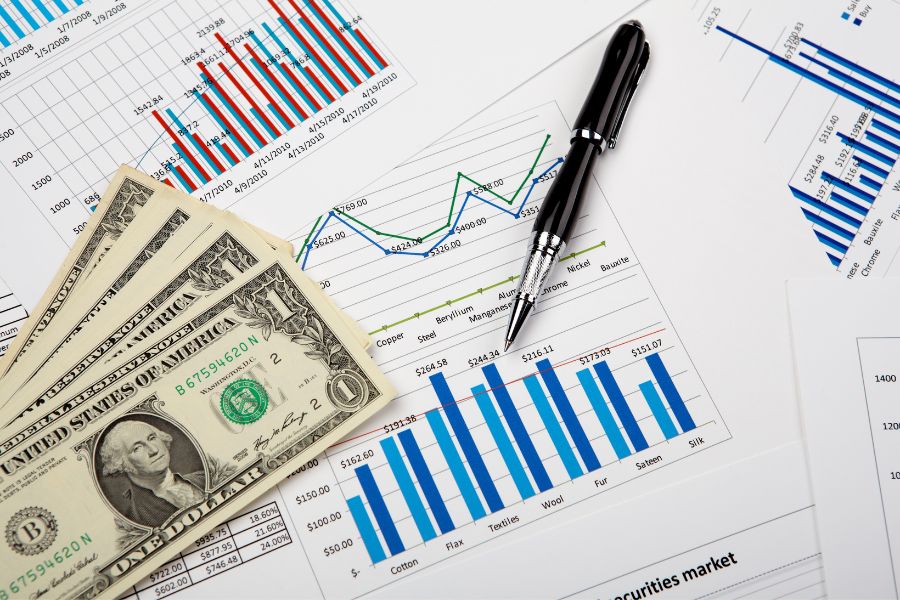
Progress bars are fun too. I made one for my emergency fund goal. It updates as I add money.
Best part? I print these charts and stick them on the fridge. Seeing progress daily is motivating.
Manual Tracking for Financial Awareness
Typing in every expense sounds tedious, but it makes me think about each dollar. This changed how I handle money.
When I used apps that auto-synced, I barely checked my transactions. Money disappeared without me noticing. Now, I enter each purchase and ask:
- Was it worth it?
- Do I shop here too much?
- Could I find a better deal?
Manual entry forces a pause. I have to face my choices. That pause helps me make better decisions next time.
I update my spreadsheet twice a week. It takes 15 minutes. That’s when I review my spending and plan for what’s coming up.
This hands-on approach helped me spot money leaks that apps missed. Turns out, I was paying for three music services and buying lunch way too often.
How I Set Up My Personal Finance Spreadsheets
I built my system around three things: picking the right tool, making flexible templates, and keeping data entry smooth. These choices save me hours and give me way more control.
Choosing the Right Spreadsheet Tools
I tried four platforms before landing on Google Sheets. Excel felt too bulky. LibreOffice Calc didn’t have the cloud features I wanted.
Google Sheets won because:
- I can access it from any device, no installs needed
- It auto-saves everything
- I can share it with my spouse in real time
- Built-in charts and functions cover almost everything
The mobile app is handy for quick entries. I can log transactions while waiting in line.
Features I use all the time:
- SUMIFS for category totals
- Conditional formatting to catch overspending
- Data validation for clean categories
- IMPORTRANGE to connect sheets
I also export to Excel once a month, just in case Google Sheets goes down. Gotta have a backup.
Building Templates for Budgeting
My budget template has five main sheets in one file. Each does something specific.
Sheet 1: Monthly Budget
Tracks income and expenses by category. I use columns for budgeted, actual, and difference. Color coding shows green for under budget, red for over.
Sheet 2: Transaction Log
Every purchase goes here—date, amount, category, merchant. Drop-downs keep categories tidy. VLOOKUP pulls category budgets from Sheet 1.
Sheet 3: Yearly Overview
Monthly totals from Sheet 1 fill this automatically. Charts show trends over 12 months. This helps me spot seasonal patterns.

For irregular income, I made templates that use three-month averages instead of fixed amounts. Freelance life, right?
Streamlining Data Entry
Honestly, manual typing just drained my energy every time I tried to keep up with spreadsheets. But after testing a bunch of options, I landed on three tricks that slashed my data entry time by about 75%. Not bad, right?
Bank CSV imports are a lifesaver for regular transactions. I grab my monthly statements, toss them into a staging sheet, and let VLOOKUP functions do the heavy lifting. They match merchant names with categories automatically. Feels almost magical when it works.
Mobile app shortcuts make cash purchases way less annoying. Google Sheets on my phone lets me whip up expense entry forms. One tap on a bookmark and I’m staring at a pre-formatted row, ready to punch in amount and category.
Recurring transaction templates speed up bill tracking. I keep a separate sheet with all my monthly bills pre-filled. On payment days, I just copy and paste them into the main log. It’s not fancy, but it works.
Auto-categorization rules handle about 80% of my transactions. Gas stations go straight to Transportation. My favorite grocery store always lands in Food. I just check the rest by hand.
Instead of logging stuff every day, I batch everything twice a week. Tuesday and Saturday mornings, ten minutes each, and I’m done.
Unexpected Benefits of Returning to Spreadsheets
Going back to spreadsheets surprised me in the best way. My stress levels dropped, and my spending habits actually improved.
Reduced Stress Around Finances
I stopped obsessively checking my accounts every few hours once I ditched the apps. Those constant notifications about market moves? They always made my heart race, even when I knew I shouldn’t care.
With spreadsheets, I broke that cycle. No more pings, no more frantic portfolio checks.
Now, I update my numbers maybe once a week. I decide when to look at my money. The control feels good.
The manual process makes me intentional. I sit down with a purpose rather than mindlessly scrolling through screens.
My anxiety around money faded fast. I focus on long-term trends instead of daily noise. Honestly, that shift alone made spreadsheets worth it.
Developing Better Spending Habits
Typing out every expense forced me to face my choices. When I have to log each purchase, I pause and think twice before buying.
Apps pulled in transactions automatically, so I barely noticed where my money went. It felt disconnected from my decisions.
Now I spot patterns I never saw before:
- Which categories eat up my budget
- How small purchases add up over time
- Where I waste money without realizing
Writing down each expense creates a moment to reflect. I ask myself if this fits my goals before I hit “buy.”
My spending dropped by about 15% in the first month. Not because I set strict rules—just because I finally saw my habits clearly.
Frequently Asked Questions
Switching from financial apps to spreadsheets? You’ll probably have questions about setup, customization, and everyday money management. Here’s what I wish I’d known sooner.
1. What Are the Benefits of Using Spreadsheets Over Dedicated Financial Apps for Tracking Expenses?
Spreadsheets put me in control of my financial data. I don’t have to trust a third-party company that could change terms or shut down.
Customization is unlimited. I build categories that fit my real spending habits, not some app’s idea of what my life looks like.
Privacy matters. My financial info stays on my computer or cloud storage. No worries about data breaches or companies selling my spending details.
Cost savings add up, too. Most apps charge fees, but Excel or Google Sheets are cheap or free.
I track whatever I want. Apps limit what I can analyze. With spreadsheets, I add custom fields for goals or weird income streams.
2. How to Create a Customizable Budget Spreadsheet That Fits All Your Financial Needs?
Start simple: basic income and expense categories that reflect your real life. I keep separate sheets for monthly budgets, yearly plans, and debt tracking—all in one file.
Formulas are your friend. SUM functions calculate totals and prevent math mistakes. I love seeing my remaining budget update automatically.
Conditional formatting highlights overspending. Red cells warn me when I go over budget limits. Green means I’m under.
Dropdown menus for expense categories keep things tidy. Data validation makes entry faster and more consistent.
A dashboard sheet pulls together key numbers. I see my financial snapshot at a glance, which keeps me motivated
3. What Are the Key Elements to Include in an Efficient Financial Spreadsheet?
Transaction logs are the backbone. I record date, amount, category, and a short description for every expense or income.
Account balance tracking lets me reconcile with bank statements. I set up columns for each checking, savings, and credit card account.
Monthly summary tables help me spot trends. I use them to catch problem areas or seasonal changes.
Goal tracking sections keep me going. I include debt payoff progress, savings targets, and other milestones.
Emergency fund calculations help me prep for surprises. I track how many months of expenses I’ve got saved.
Budget vs. actual comparisons show where my planning needs work. Side-by-side columns make it easy to see what’s off.
4. Can Manual Spreadsheets Provide Better Financial Insights Than Automated Apps?
Manual entry makes me think about every transaction. That awareness alone leads to better spending decisions.
Custom analysis is a game-changer. Pivot tables and charts let me dig into what matters most. Apps just can’t match that flexibility.
I keep my historical data forever. Apps sometimes limit how far back I can look. My spreadsheets hold years of info.
Fixing errors is easier when I control the data. Apps miscategorize things, and correcting them can be a pain.
Trend analysis becomes personal. I remember the context behind each number, so the insights stick.
5. What Tips Can Experts Give for Organizing a Personal Finance Spreadsheet with Ease?
Stick to consistent naming for categories. Using the same expense names every month makes analysis way easier.
Set up templates for recurring entries. Pre-fill monthly bills and regular income to save time.
Use separate sheets for different periods or purposes. Organizing by month or quarter keeps things manageable.
Back up your files regularly. I save copies to both cloud storage and my computer, just in case.
Review and update formulas every month. Catching errors early prevents headaches later.
Color coding makes important info pop. I use red for overdue bills and green for completed goals. It’s simple but super effective.
Why Do Some Personal Finance Enthusiasts Recommend Spreadsheets for Debt Management?
Let’s be honest—managing debt feels overwhelming sometimes. That’s why so many personal finance fans swear by spreadsheets.
Custom Calculations for Debt Strategies
Ever tried the debt snowball or avalanche methods? With a spreadsheet, I can play around with different payment plans and actually see which one saves me more money or time. It’s all right there, no guessing.
All Debts in One Place
I like having every debt account lined up in a single sheet. Sure, apps try, but they usually only track one account at a time. Spreadsheets let me see the full picture—credit cards, loans, you name it.
Testing Extra Payment Scenarios
Sometimes I wonder, “What if I throw an extra $50 at my credit card this month?” With a spreadsheet, I can test out those scenarios and instantly see how it changes my interest costs. That kind of control? It’s motivating.
Seeing Progress Visually
Watching those balances drop feels good. I set up simple charts that show my debt shrinking, and honestly, it keeps me going when the process drags on.
Transparent Interest Calculations
No more mysterious numbers. When I use a spreadsheet, I know exactly how much interest I’m paying each month. It’s clear, and I don’t have to trust some app’s estimate.
Flexible Payment Scheduling
Life’s unpredictable, right? I can plan payments around my payday or set up reminders for different due dates. Spreadsheets let me tweak things in a way that fits my real schedule, not just what an app thinks I should do.If you’re serious about paying off debt, a spreadsheet might just become your new favorite tool. It’s not always glamorous, but it works.
